
How to scrape TikTok profiles for outreach
Follow the complete setup and run process for this module. You will start with search terms, target niches and authorised TikTok profiles, work through each control in order and finish with a TikTok prospect list with source links and outreach status.
Step 1: Open TikTok Discovery
Select TikTok Discovery, then Open TikTok module. The standalone window contains Campaign, Actions & limits, Timing & AI, Accounts and Jobs & progress. Open TikTok data folder locates its tiktok.sqlite3 storage.

Figure 1. Main window launcher for TikTok Engagement, with Open TikTok data folder and project activity for the separate module. Step 2: Define campaign sources
Enter Keywords, Hashtags and Account names one per line. For follower discovery, supply Business TikTok account names. Optional Fill search fields with Gemini prepares suggestions for you to review.
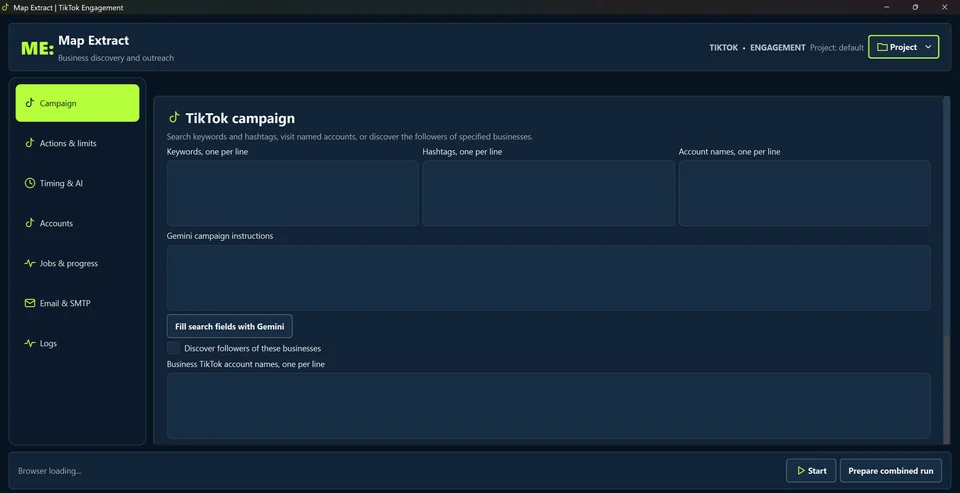
Figure 2. Campaign sources and Gemini instructions, with optional business follower discovery. Step 3: Choose actions and prepare drafts
Use Scraping only for a collection run. Configure Comment on videos, Send DMs, Follow profiles or Send emails separately. Review message templates, macros, daily caps and delays in Actions & limits and Timing & AI.
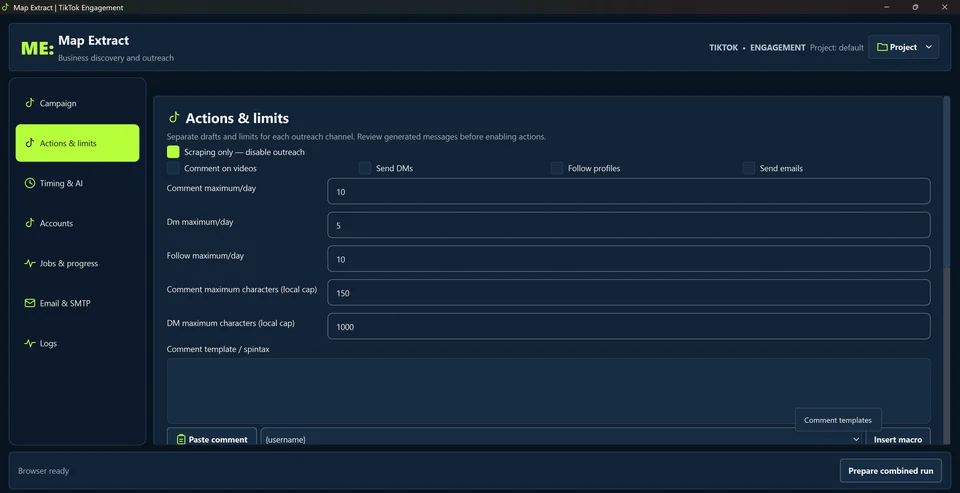
Figure 3. Scraping only enabled. Like maximum per day 10, Comment 10, DM 5 and Follow 10. Local character caps 150 and 1000. Step 4: Verify accounts and sender details
In Accounts, select an authorised TikTok identity and verify its saved session. The selected account stays fixed for the campaign. For email, configure a main software SMTP sender, subject, message, signature and opt out wording.
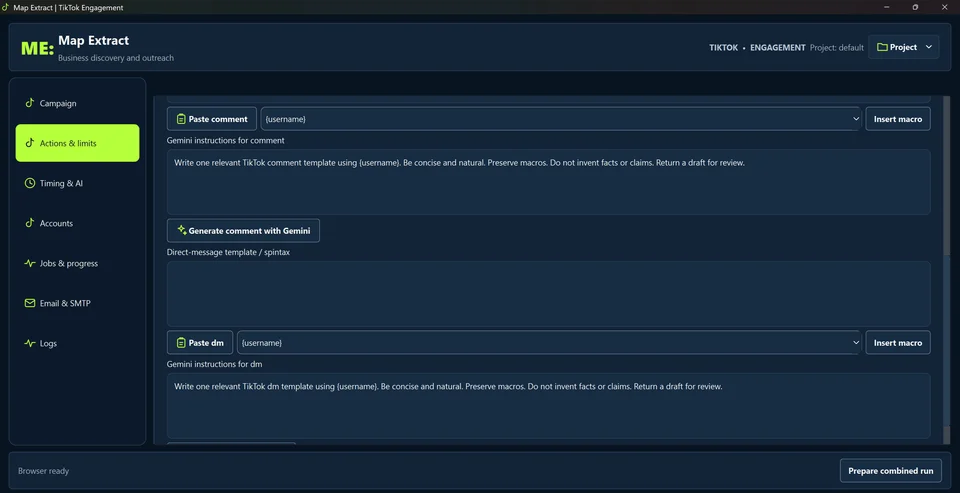
Figure 4. Separate comment and DM drafts, username macros and Gemini instructions. Step 5: Start and review the run
Review Prepare combined run, then use Start. Follow Jobs & progress to check discovery and action results. Review collected profiles and contact details before exporting or starting another outreach task.
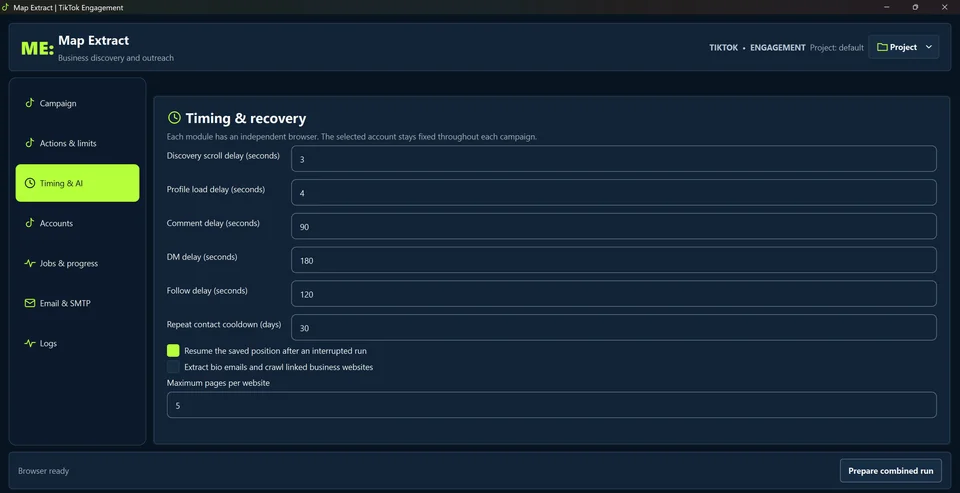
Figure 5. Like delay 90, discovery scroll 3, profile load 4, comment 90, DM 180 and follow 120 seconds. Repeat contact cooldown 30 days. Website page limit 5; extraction disabled.
Check the result
Saved profiles and available contacts, with completed, skipped or failed outreach actions recorded.
- Scraping only is on by default. Actions run only when you enable them.
- Third-party platforms may restrict data collection or automated actions. Before running a workflow, check the platform's rules and make sure you have permission for the actions you configure. Platforms can restrict or suspend accounts.
- Daily caps and cooldowns reduce risk; they cannot prevent platform action against an account.
Read the responsible use guidance and the anti-spam policy before you run this module on real data.
Troubleshooting
- The expected input or account is missing
- Recheck the prerequisites: Project; Compatible global browser profile; Authorised TikTok session; SMTP only for the optional email channel.
- The output is incomplete or unavailable
- Follow, comment and DM actions are in beta and have not completed live testing.
- The job was interrupted
- Use the module Pause/Stop controls for supported runs and inspect the saved checkpoint. Account challenges require user attention. Interrupted or ambiguous actions require review before retrying; a recorded attempt is not a confirmed platform outcome.
Questions
What is the standalone TikTok module?
It is an isolated discovery, enrichment and outreach application with its own process, browser, project cookies, settings, logs, checkpoints and tiktok.sqlite3 database. Local competition reads business references only; TikTok output remains isolated.
What search modes does TikTok Business Discovery offer?
Campaign accepts keywords, hashtags and account names one per line. Optional follower discovery uses specified Business TikTok account names. Gemini campaign instructions can prepare source suggestions for review.
Do Actions and limits promise account safety?
No. Daily caps and local character limits bound configured activity. These are not promised safe thresholds.
How does Timing and recovery work?
Set discovery, profile load and channel delays, repeat contact cooldown and resume from a saved position. Configure optional bio and website email extraction and the maximum pages to visit.
Does the TikTok account rotate during a campaign?
The interface states that the selected TikTok account stays fixed throughout each campaign. Verify the selected identity and TikTok session before starting.
How does Email outreach and SMTP work?
It uses main software sender identities, SMTP routes, recipient verification and outbox. SMTP senders can rotate separately after a configured number of completed sends. Uncertain deliveries are never automatically resent.
Next steps
Follow along in the free demo
Install Map Extract on Windows and work through these steps with a small test project.